Record theory exams and knowledge deficiencies
Log each exam you sit, import a result slip, and clear the knowledge deficiency references before your flight test.
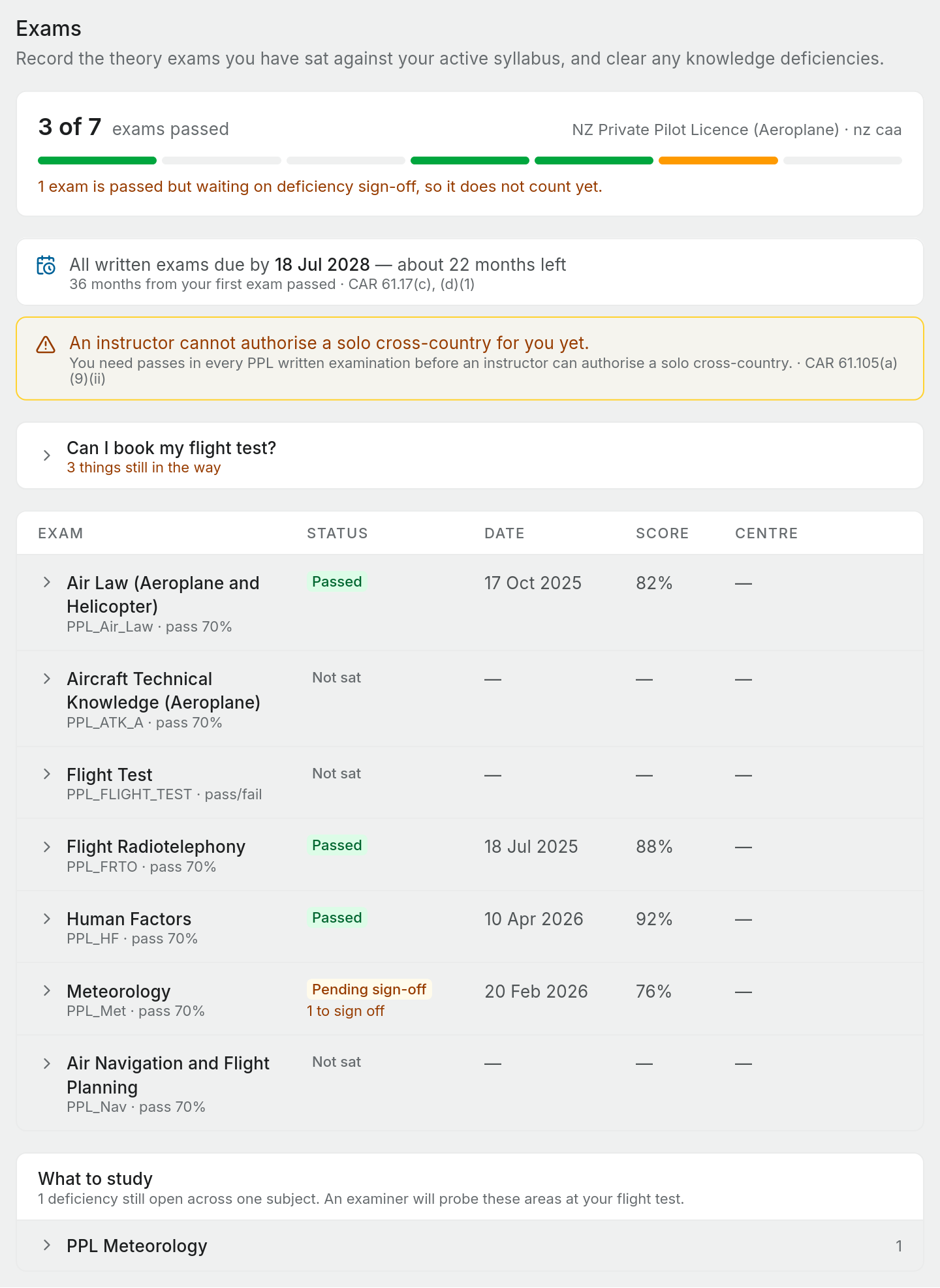
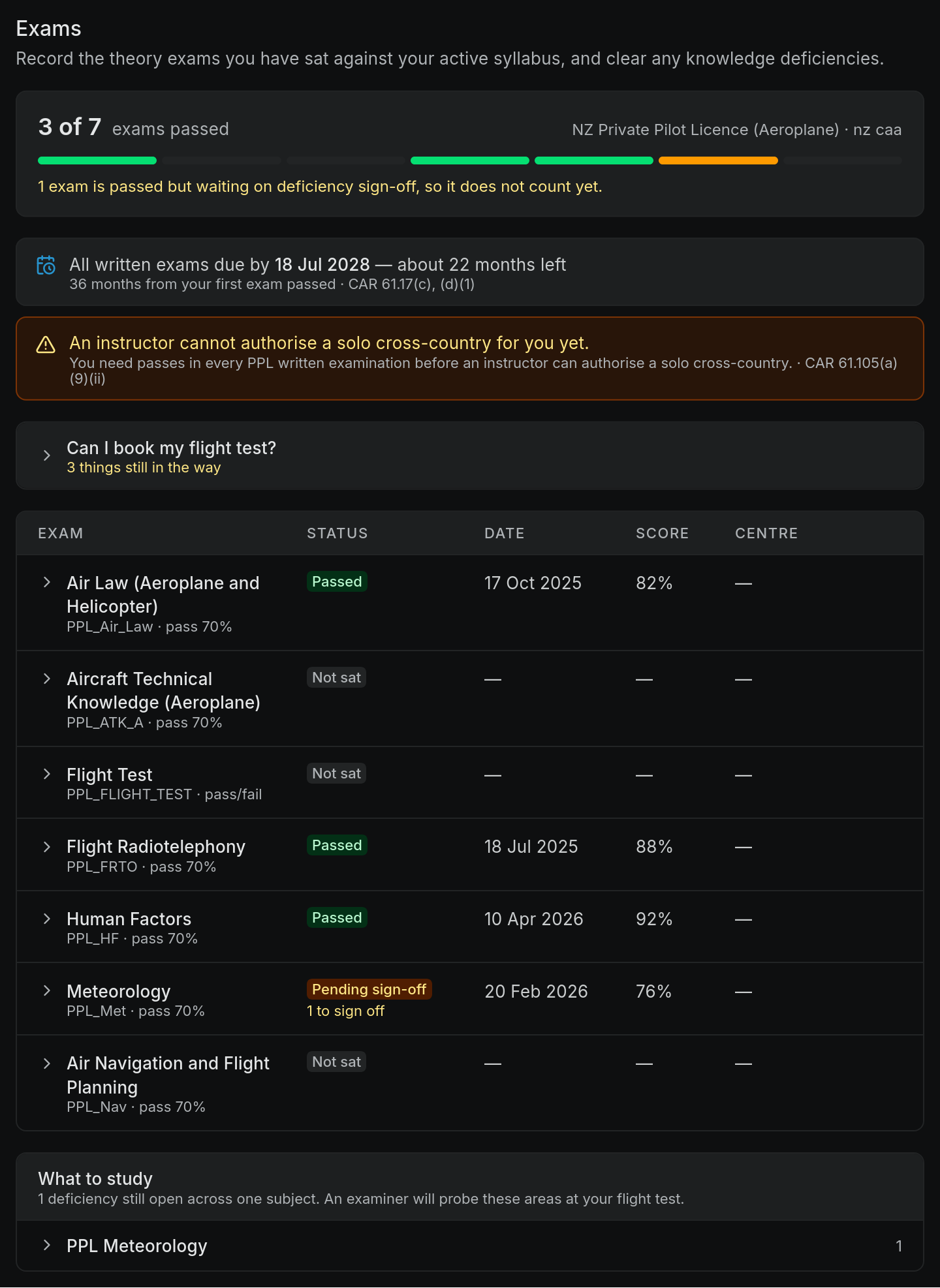
The Exams page keeps the theory exams for your syllabus in one table, with the result of each sitting and the knowledge deficiency references (KDRs) that came with it. Open it from Profile settings > Exams. You can also select the Exams count in the footer of the Licence progression widget.
Exams belong to your syllabus, so choose one first in Settings > Progression. Until you do, the Exams page shows "No syllabus set" and a Choose a syllabus button.
Record a result
Each exam in the syllabus has a row with its status: Not sat, Passed, Pending sign-off or Failed.
- Select the exam's row to open it.
- Enter the Date sat, your Score (%) and the Examination centre.
- Check the verdict line under the fields. It previews what Pilot Lab will record: a score under the pass mark reads Failed, and a pass with open deficiencies reads Pending sign-off.
- Select Record result.
Made a mistake? Open the row and use Correct this result, or Remove. If you resit an exam, record the new sitting. The earlier one moves under Earlier sittings rather than being overwritten, so your full history stays in the record.
Import a result slip
Select Import a result slip and upload the slip you were given. Pilot Lab reads the exam, date, score, centre and KDR references from it and shows them for you to check before saving. Choose which exam the slip is for if it was not recognised. Saving the same slip twice does not create a duplicate. When you save, the slip is filed in your documents and attached to the result, so the evidence stays next to the record. Nothing is stored if you abandon the import part way.
Knowledge deficiencies
When you pass with less than 100%, your slip lists the syllabus references for the questions you got wrong, for example 8.12.8. Each of these is a knowledge deficiency. Before a flight test you need to show you have studied each one, and have that certified by a Category A or B flight instructor (CAR 61.21(a)(5)).
In the exam's row:
- Add deficiency records a reference from your slip. Pilot Lab looks it up in the syllabus and shows the topic and objective. A reference it cannot place is kept exactly as you typed it, marked "Not found in this syllabus", and can still be signed off.
- Write your answers opens a single note for the whole sitting, with a section per deficiency, so you can write up what you studied. Your instructor reads this before certifying. The answers are always a text document in your Notes, because they are printed with your licence application and read by their headings. A drawing note can't be used as a KDR answer.
- Sign off on a deficiency records the certification: the instructor's name and grade (Category A or B), the training organisation, the date and an optional remark. When you enter a paper sign-off yourself it is labelled self-recorded.
An exam with open deficiencies stays Pending sign-off and does not count toward your syllabus or your written examination credit. The page says how many are waiting. Once the last one is signed off, the exam becomes Passed.
What to study below the table gathers every open deficiency across all your exams, grouped by subject and topic, so you can work through them as a study plan.
Ask an instructor to certify
Select Ask an instructor to certify these on an exam with open deficiencies, enter their email and an optional note, then Send for certification. All the open deficiencies on that exam go together. This works when the instructor has a Pilot Lab account with the Instructor role in your workspace. If they do not, Pilot Lab tells you, and you can record their paper sign-off yourself with Sign off instead.
Can I book my flight test?
Above the table, Can I book my flight test? opens a checklist of the flight test prerequisites under CAR 61.21(a): photographic identity, a certified logbook showing the required experience, a current medical certificate, a written examination credit, certified knowledge deficiencies and a type rating on the test aircraft. Each item shows met, not met, or something only you can confirm, with the rule it comes from.
The checklist is New Zealand's, so it only appears when your workspace's Authority is New Zealand CAA. Under any other authority the button is not shown.
It never says you are ready. At best it says nothing it can check is in the way, because some items (like your photo ID) are outside anything Pilot Lab holds. Your instructor and flight examiner make that call.
Good to know
- Only written exams count toward the written examination credit. The flight test sits in the same table but is pass or fail.
- A passed flight test shows "valid to" a date three months later, and Expired after that (CAR 61.21(b)). An expired flight test stops counting toward your syllabus. The helicopter PPL and CPL syllabuses do not apply this expiry yet, so check the date of your test yourself.
- If you fail the same subject three times within 90 days, the row shows when you can sit it again (CAR 61.17(e)).
Pilot Lab records and organises your exam history. It does not replace the result slips issued to you, and it is not a CAA record. Keep your slips, and check the current rules with your training organisation.