Export your logbook
Download your logbook as a CSV, a PDF laid out like the NZ CAA 1373 paper logbook, or a supporting report. Every export is kept for 90 days and can be shared by link.
Your logbook is yours to take with you. Open Logbook > Export, or press Export at the top of your logbook entries. Exporting is included on every plan.
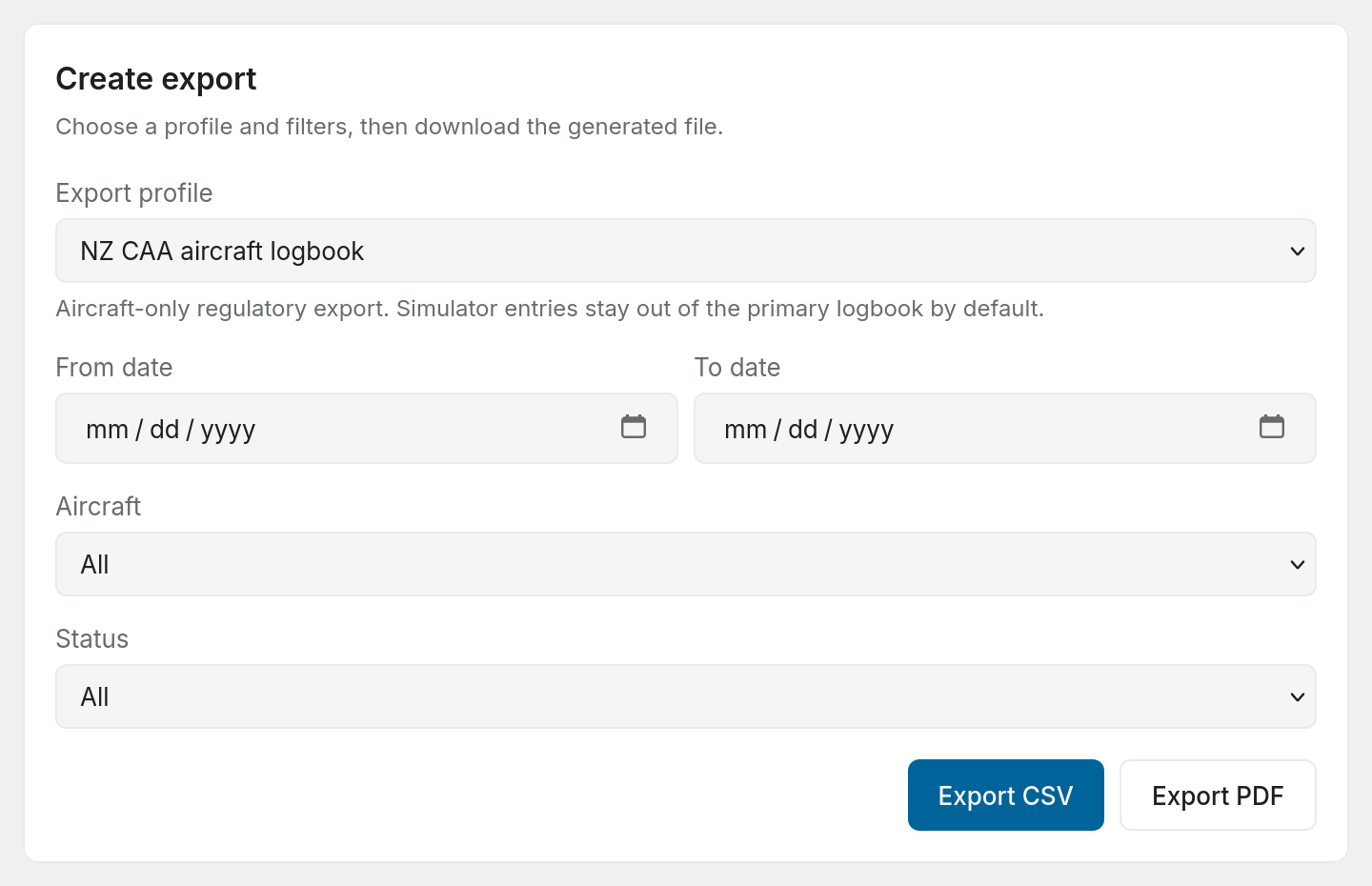
The page has two halves: Create export on the left, where you choose what to export, and Export history on the right, where every export you have made is kept. The side panel lists the same Export profiles as the form; choosing one there selects it in the form.
Choosing a profile
The Export profile decides which flights go in and how the file is laid out. The page opens on Pilot Flying Log Book (CAA 1373), so Export PDF works without changing anything.
The list holds the forms written for the logbook rules your workspace follows, plus Internal Club Logbook Export, which belongs to no regulator. The NZ CAA profiles below are offered only in a workspace that follows NZ CAA rules. Under any other authority, Internal Club Logbook Export is the one on offer.
| Profile | Contains | Formats |
|---|---|---|
| NZ CAA Aircraft Logbook Export | Aircraft flights only. Simulator entries are left out. | CSV |
| NZ CAA Instrument and Simulator Supporting Report | Simulator and flight training device entries, as evidence for instrument time and recency. | PDF or CSV |
| Pilot Flying Log Book (CAA 1373) | Aircraft flights, laid out like the physical NZ CAA 1373 pilot logbook, with single and multi-engine and instrument columns and page totals. | PDF or web page |
| Internal Club Logbook Export | Aircraft, simulator and ground entries together. | PDF or CSV |
The NZ CAA profiles include flights that are Imported, Final, Signed or Locked. Drafts are never included, so finalise a draft first if you want it in the file.
Export CSV and Export PDF sit under the form, but not every profile makes both. A button the selected profile cannot make is turned off, and a line above the buttons names a profile that can. The NZ CAA Aircraft Logbook Export profile is CSV only, so with it selected Export PDF is off; for a PDF of your aircraft flights, choose Pilot Flying Log Book (CAA 1373). With the 1373 layout selected, Export CSV is off.
The 1373 print layout
The 1373 layout has a second choice, Format:
- PDF: a fixed archival document.
- Web page: opens in any browser and prints from there, which is handy on a phone. The button changes to Export web page.
Both contain the same flights, page totals and signature blocks.
If you entered opening totals from an earlier logbook, the first page starts with them as Brought forward. They are left out when you filter by aircraft or status, because a balance is not a flight.
Filtering
Narrow any export with:
- From date and To date
- Aircraft: one registration, or All
- Status: All, Draft, Final, Signed or Locked. There is no separate Imported option. Leave it on All to include imported flights.
In a club workspace, if you are allowed to see every member's flights you also get Scope: My Flights or All Club Flights. The 1373 layout is one pilot's logbook, so it is only available for your own flights.
Export history
Each export is generated, downloaded and kept in Export history with its profile, format, time and a short content fingerprint (hash). The fingerprint lets anyone check the file has not been changed since Pilot Lab made it.
- Download fetches the file again.
- Open shows a web page export in a new tab.
- Share creates a link (below).
Exports are kept for 90 days, then removed. Download anything you want to keep for longer.
Sharing an export by link
Share is offered on your own completed exports. It is not offered on All Club Flights exports, because a link publishes one pilot's logbook.
- Press Share on the export.
- Fill in What is this link for?, for example "Air New Zealand recruitment". This label is only for you.
- Choose Expires after: 7 days, 30 days, 90 days or 1 year. A link never outlives the export it points to.
- Press Create link, then Copy link. Copy it straight away: the full link is shown only once.
Anyone with the link can read that export without a Pilot Lab account. Under the export you can see each link's label, when it expires, and how often it has been opened. Revoke a link at any time and it stops working immediately.
A complete backup
A complete backup is not made from the export page. A full backup of your logbook, notes and documents as a single .zip is part of Cloud backup, which is a Pro feature.
The Exports page in workspace settings exports project and work item data. It does not export your logbook. Use Logbook > Export.