Track document expiry dates
Give a document an expiry date and Pilot Lab marks it Expired once the date passes. Reminders for medicals and reviews come from your profile, not from documents.
Some documents run out: a medical certificate, a flight review, a type rating or an aircraft's airworthiness paperwork. You can record an expiry date on any document so it is obvious when a file is out of date.
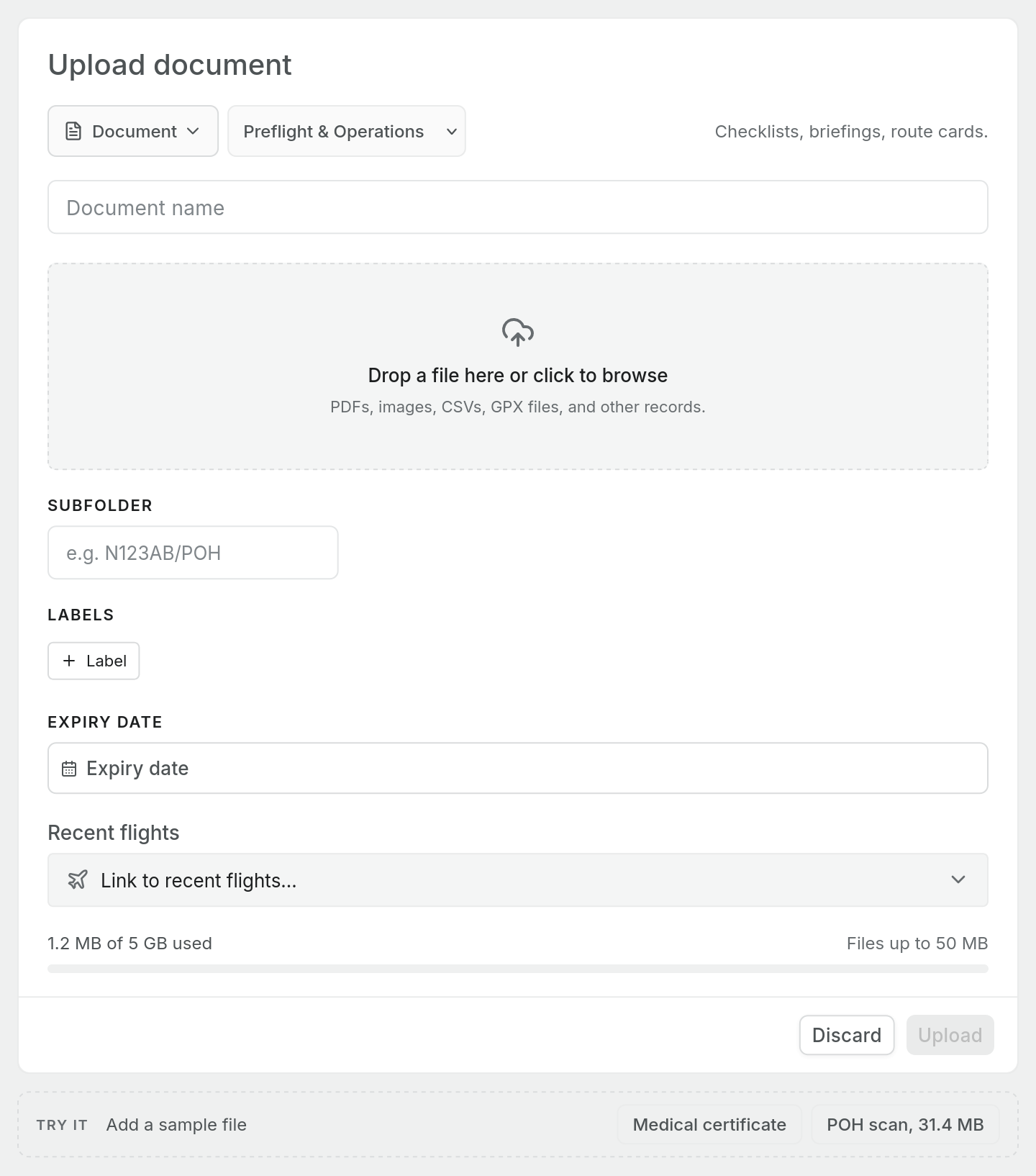
Add an expiry date
Set the Expiry date field when you upload the document. See Upload a licence, medical or certificate.
The date is stored with the document and shown in the preview panel under File details as Expires.
What happens when it passes
Once the expiry date has passed, the document shows a red Expired badge:
- on its row in the Documents list, and
- next to its name in the preview panel.
The file itself is not removed or hidden, and nothing else changes. An expired medical scan stays in Medical where you filed it, so you still have it for your records.
What documents do not do
It helps to be clear about the limits, because a document's expiry date is only a label on a file:
- No reminders. Pilot Lab does not email or notify you before a document's expiry date. The badge appears once the date has passed.
- No effect on currency. A document's expiry date does not feed your currency, licence or medical status anywhere else in Pilot Lab.
- Changing it later. The Documents page does not yet have a way to edit a document's expiry date after upload. If you renew a medical, upload the new certificate with its new date. You can delete the old one, or keep it as a record.
Getting reminders that matter
For the expiries that affect whether you can fly, record them where Pilot Lab can use them:
- Add your medical certificates under your profile's Medicals tab, with class and expiry.
- Add your licences under Licences, and your flight reviews under Flight reviews.
These drive your currency and expiry status. The dashboard's expiry reminders and timeline for medicals and flight reviews are part of Currency & expiry alerts, which is a Pro feature.
Keep the scan in Documents for proof, and the dates in your profile for the checks. Uploading the certificate does not fill in your profile for you.